My go-tos when looking at a site
While I don’t write about the results often, I often try to explore what infrastructure is behind a website. What subdomains are there? Where are the servers? Is there anything exposed that shouldn’t be?
Here are two things I commonly do to help answer these questions.
Check certificate transparency logs (crt.sh)
Certificate authorities (CAs) are the organisations that let us verify the identity of a server on the internet.
For example, you go to example.com. The server there presents a certificate which was signed by a
CA your browser trusts (like DigiCert or Sectigo). Now you know the site isn’t fake!
Certificate transparency (CT) is an effort to log every certificate issued by CAs. Websites like crt.sh allow you to search these logs.
But this is incredibly useful to get a starting point of where to look. Certificate transparency logs give you every domain and subdomain a company needed a valid certificate for (valid meaning trusted by the majority of devices).
As an example, I’m going to look at HackThisSite, a well-known website for learning to hack.
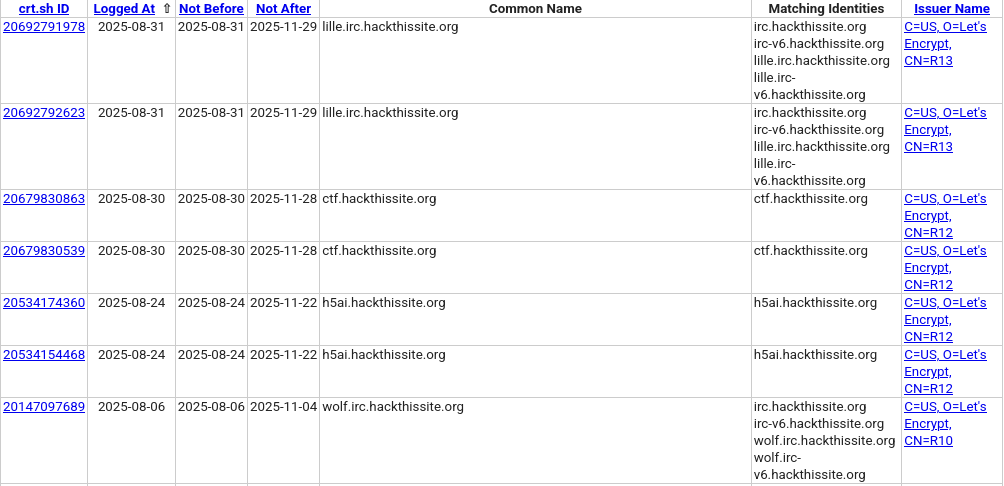
The search results give a great view of the subdomains in use: they have two IRC servers with IPv4 and IPv6 support (or that they switched to a new one), a CTF website, and a subdomain called ‘h5ai’.
Look for related servers (Censys)
Certificate transparency logs are useful, but they’re unlikely to give you the full picture. A service might:
- Not need a TLS certificate.
- Use a TLS certificate, but not from a trusted CA. That won’t appear in logs.
- Use a wildcard certificate, which could hide some names from the logs.
- Not even have a subdomain for it.
So without a port scan or other methods, I could be oblivious to said services. But I might not want to do that. Why?
Because the data is already out there! Companies like Shodan and Censys scan the internet constantly, and let users search through their data. I mainly use Censys. As a bonus, because they scan as many hosts as they can, you can end up finding things you missed from your own scans/DNS enumeration/etc.
Using HackThisSite as an example again, let’s try to find even more information.
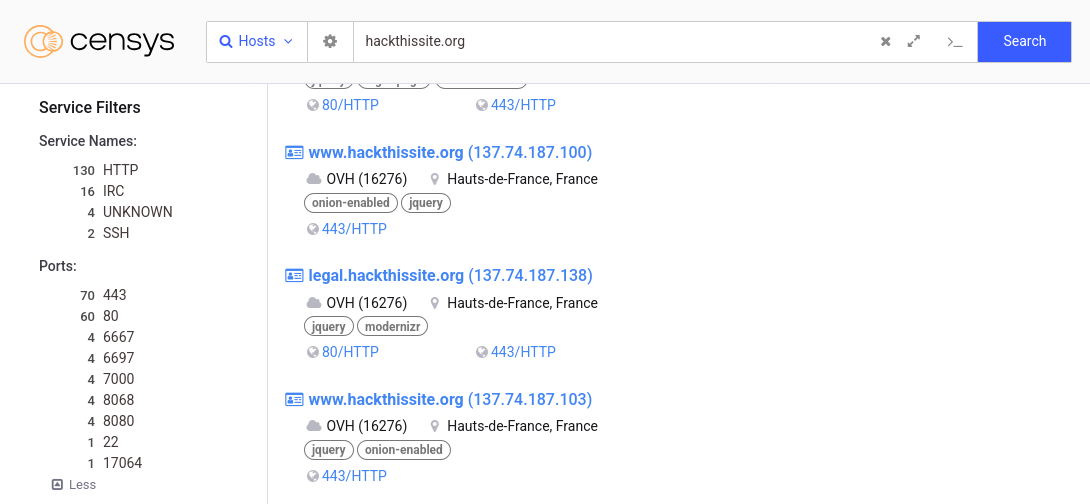
That’s a lot of HTTP(S) services on the first page. But on the left, you can see Censys found SSH and IRC services, as well as some that it can’t detect the protocol of. Let’s look at what’s running SSH by clicking it.
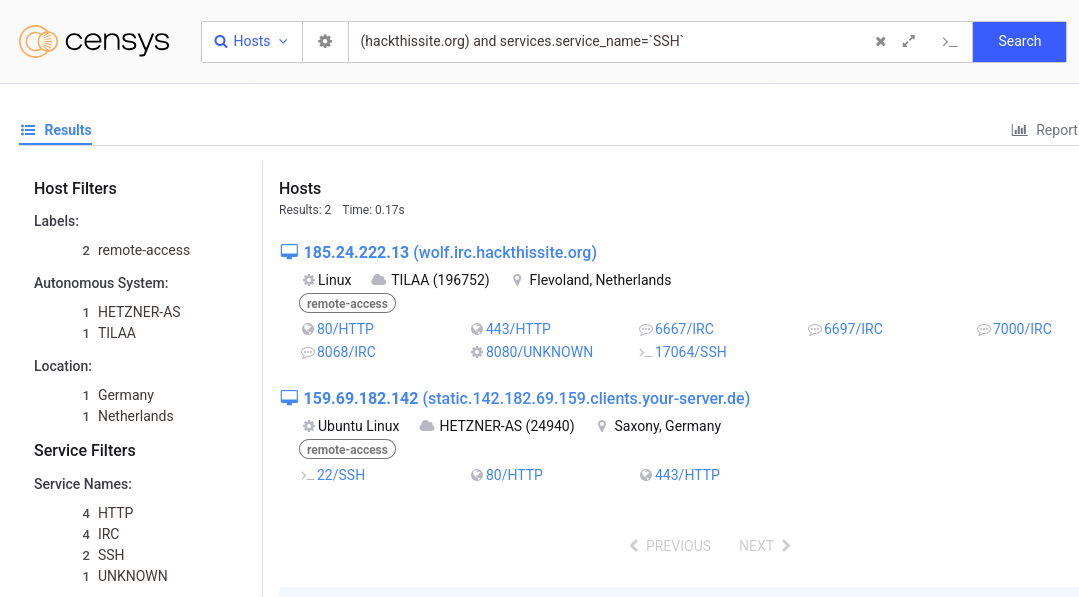
And it seems the only SSH server is on wolf.irc.hackthissite.org, on port 17064. This is the kind of info I’m looking for!
Closing thoughts
There are other ways to investigate what an organisation is running, and more I could have mentioned, but these two tools (and similar ones - check out DNSdumpster too!) are my favourite place to start. They easily uncover things I wouldn’t have found otherwise.
Hopefully this article was useful, thanks for reading!